Division wise Report
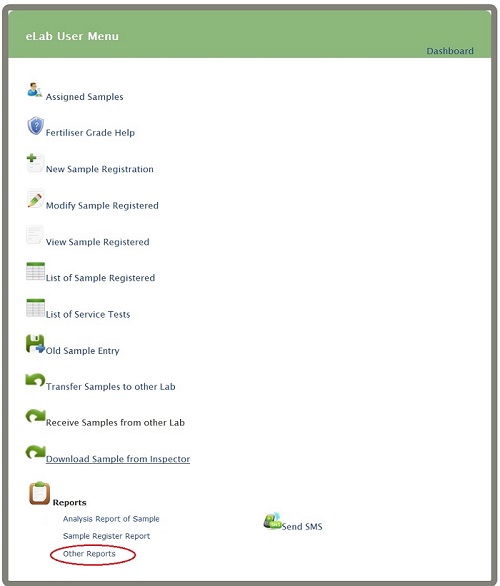
Click on 'Other Reports' link present on eLab User Menu (as shown)
 You will get Report Menu
Click on 'Division Wise Report' link present under MPR Section.
You will get Mpr form
You will get Report Menu
Click on 'Division Wise Report' link present under MPR Section.
You will get Mpr form
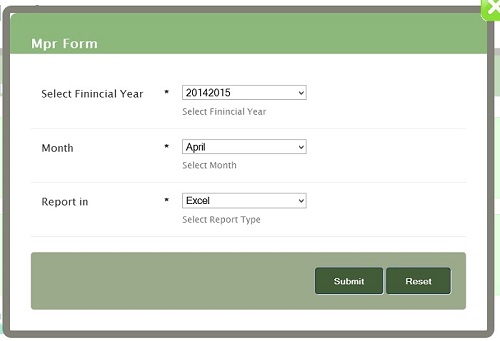 Month-Select Month
Report in-Select Report type and click on submit button
You will get download option
Month-Select Month
Report in-Select Report type and click on submit button
You will get download option
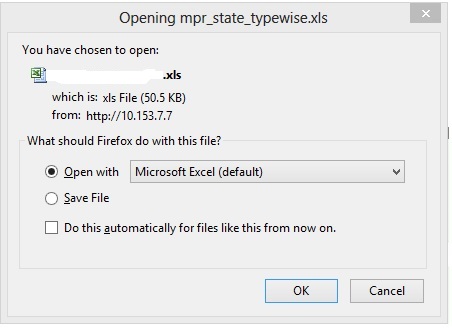 Open Downloaded file
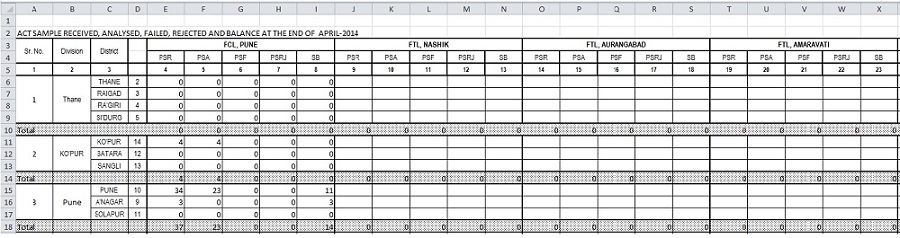
You can see Monthly Progress Report(as shown)
Open Downloaded file
You can see Monthly Progress Report(as shown)