Result Verification & Finalisation
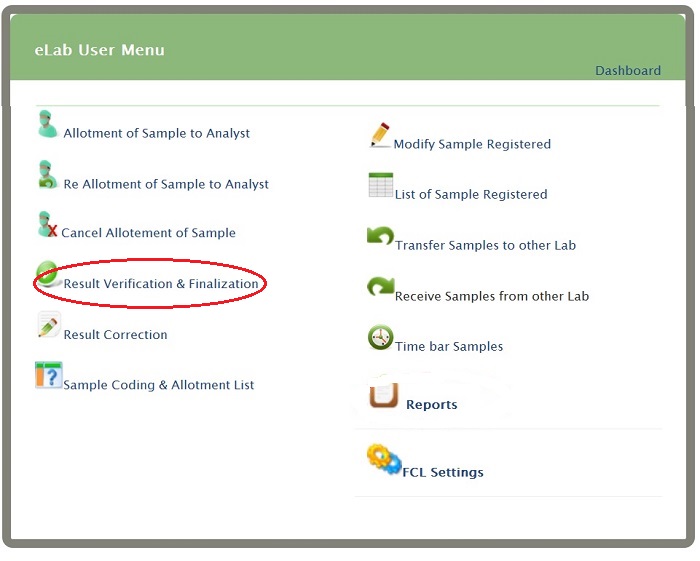
Click on 'Result Verification & Finalisation' link present on eLab User Menu (as shown)
 You will get Sample Assign list
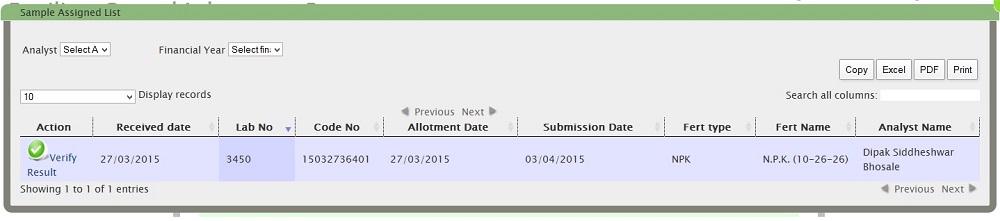 Display Record-How many records to display at time that you will get by selecting numbers
Search All columns-You Can search by adding Lab no./Code no/Fert type (don't press enter)
You Can also Copy,CSV,Excel,PDF,print of sample assign list
Display Record-How many records to display at time that you will get by selecting numbers
Search All columns-You Can search by adding Lab no./Code no/Fert type (don't press enter)
You Can also Copy,CSV,Excel,PDF,print of sample assign list
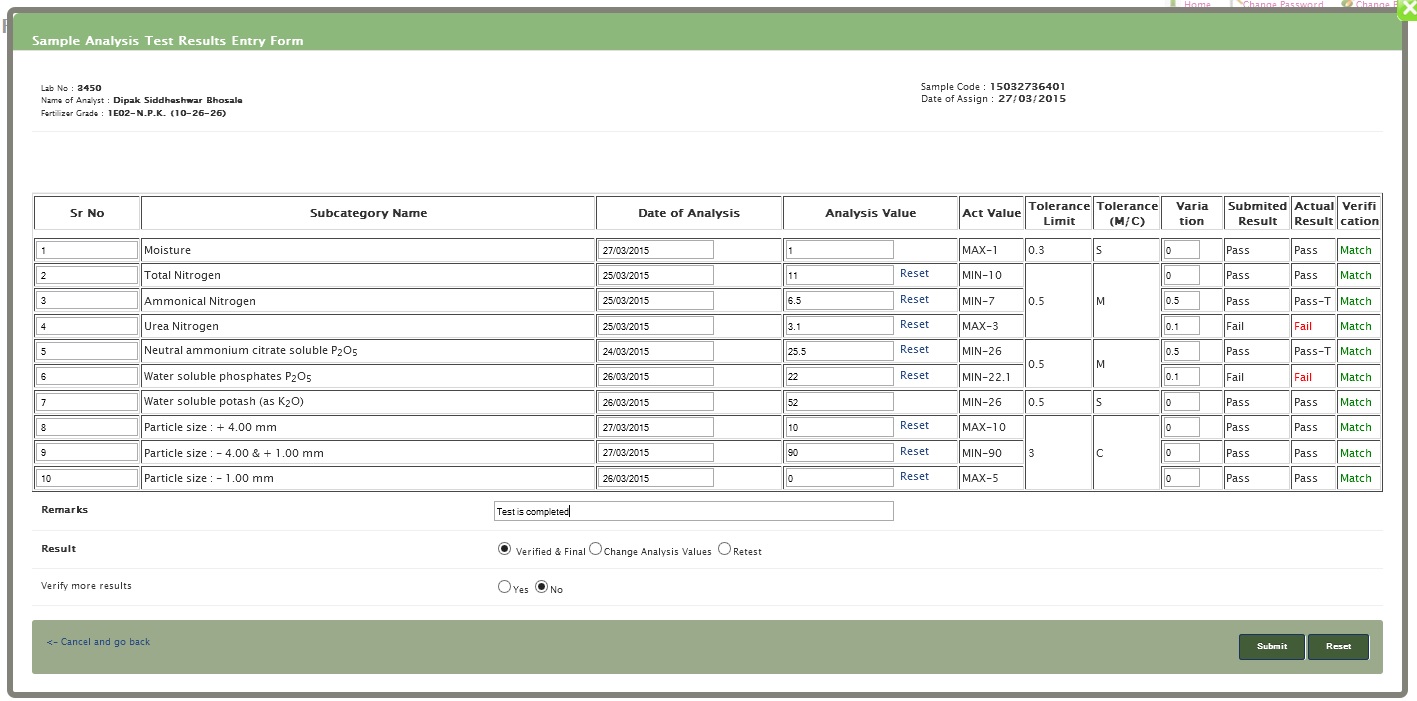 Analyst-Select Anayst name
Verified and final- If the result is verified and finaly confirm then select this option and click submit
Change analysis value- If you want to change analysis value then select this option and click on submit
Retest- If you want to retest the sample then select this option
Result verification not match- If this message is display then click on change analysis values and click on submit and change values and submit or send click on send retest and click on submit
NOTE-the value will not changed in theis form (Result verification form)
Analyst-Select Anayst name
Verified and final- If the result is verified and finaly confirm then select this option and click submit
Change analysis value- If you want to change analysis value then select this option and click on submit
Retest- If you want to retest the sample then select this option
Result verification not match- If this message is display then click on change analysis values and click on submit and change values and submit or send click on send retest and click on submit
NOTE-the value will not changed in theis form (Result verification form)