Allotment of Sample
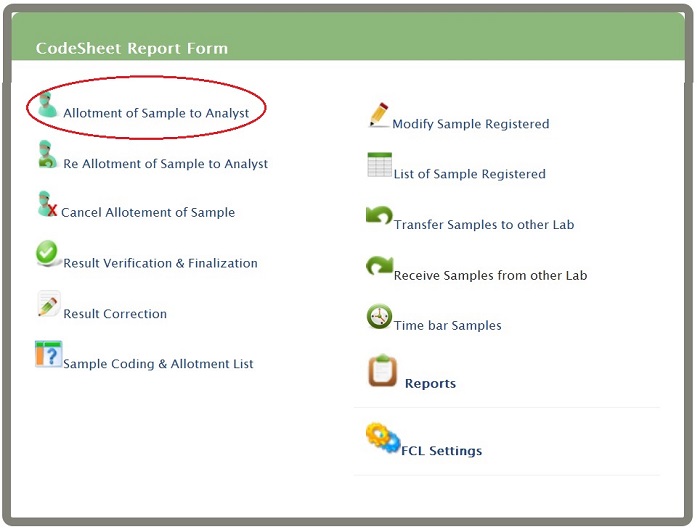
Click on 'Allotment of Sample to Analyst' link present on eLab User Menu (as shown)
 You will get Allotement of Sample to Analyst page
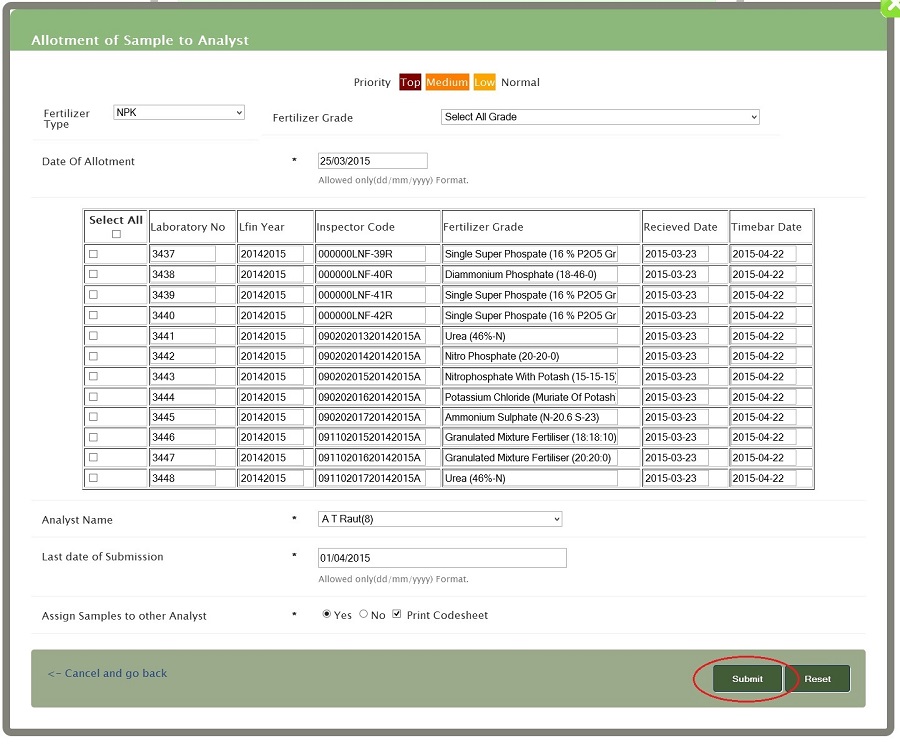 Date of Allotment-Sample allotment date to analyst for testing purpose
Enter Date in dd/mm/yy format only
Code number-Select Code number you can select multiple code using Ctrl key
While using keyboard ,after selecting field you can select the code number using space key
Analyst name -Select analyst name for the sample is allotted for testing
Select Analyst you can select multiple code using Ctrl key
While using keyboard ,after selecting field you can select the analyst name using arrow keys
Last date of Submission- sample date must be submitted by the analyst
Enter date in dd/mm/yy format
The default last submission date is 7+ days from current date
If you want to change the last date of submission you must enter the date in DD/MM/YYYY format
Assign sample to analyst-If you want to continue to assign sample to other analyst then select yes else no
If you want to print code-sheet reports select "print code-sheet " option ,If selected then it will generate code-sheet report else no
Assign Samples to other Analyst -If you want to continue select yes else no.and code-sheet print option is also available
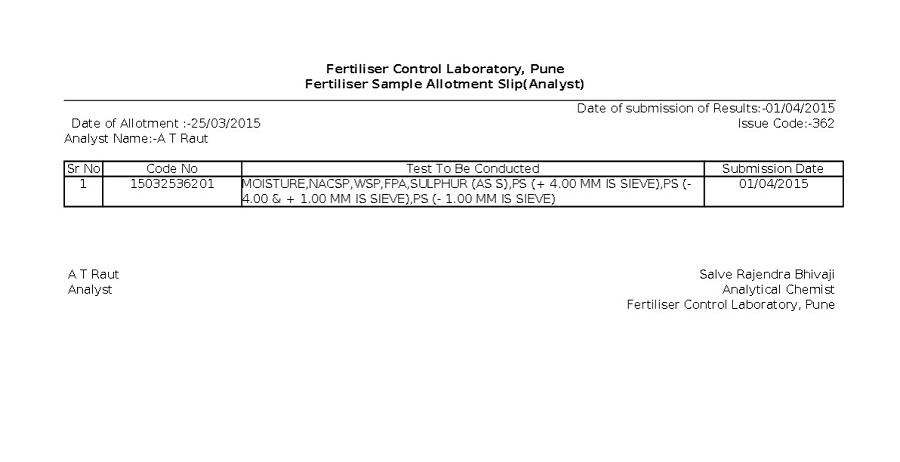
You will get Fertiliser Sample Allotment Slip(as shown)