Analysis Report of Sample
Click on ' Reports ' link present on eLab User Menu (as shown)
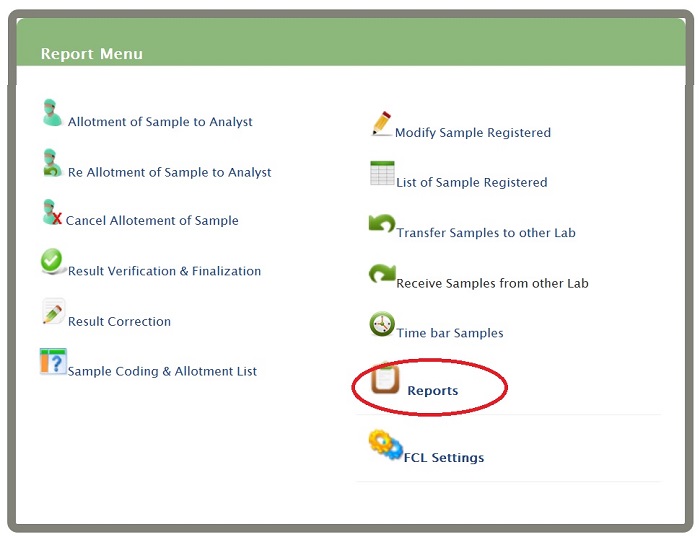 You will get Analysis Report menu
Click on Analysis Report of Sample
You will get Analysis Report menu
Click on Analysis Report of Sample
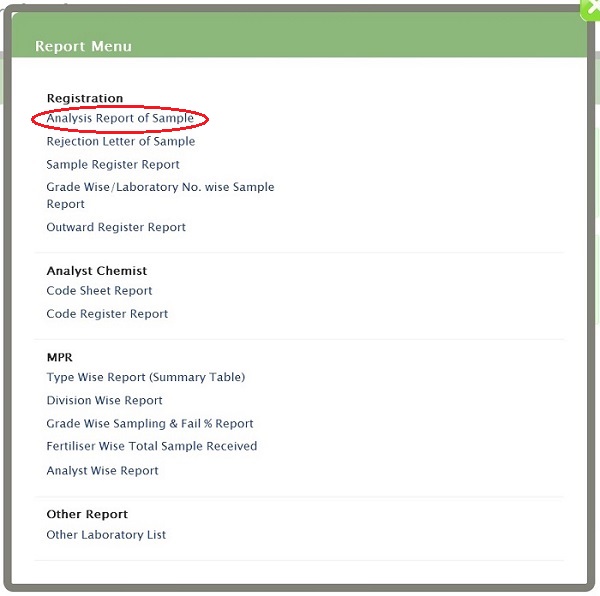 You will get Analysis Report menu form
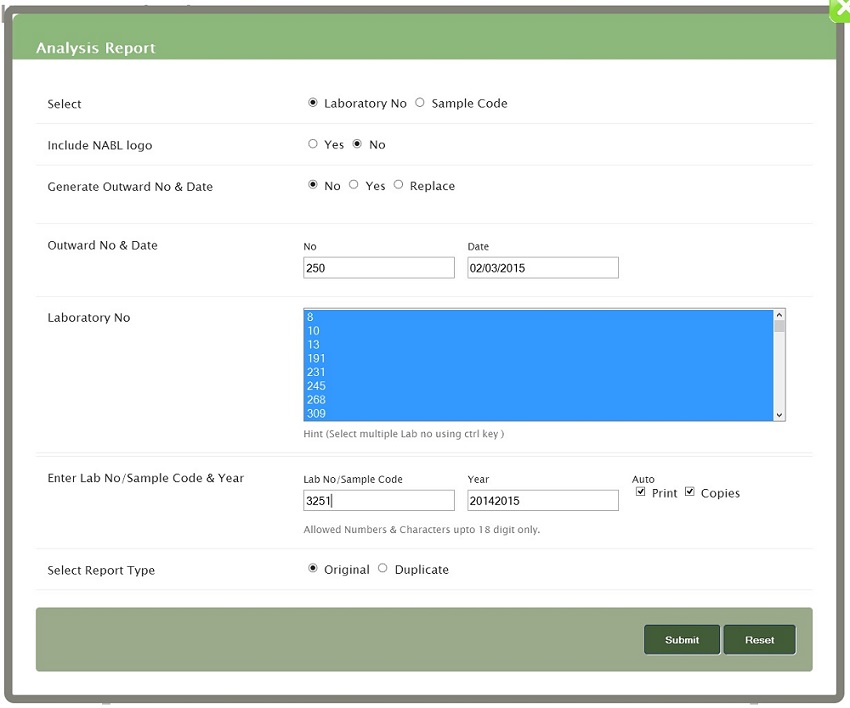 Select- select Labratory No/Sample code as per your convience.
Generate Outward No & Date- if you want to generate select yes else no;if you want to replace select replace option
Outward No & Date-Enter outward no and date,allowed numbers only and date in dd/mm/yy format
Laboratory No - Select multiple Lab no using ctrl key or you can select single also.
Enter Lab No/Sample Code & Year -Allowed Numbers & Characters upto 18 digit only. and click on submit button
Select- select Labratory No/Sample code as per your convience.
Generate Outward No & Date- if you want to generate select yes else no;if you want to replace select replace option
Outward No & Date-Enter outward no and date,allowed numbers only and date in dd/mm/yy format
Laboratory No - Select multiple Lab no using ctrl key or you can select single also.
Enter Lab No/Sample Code & Year -Allowed Numbers & Characters upto 18 digit only. and click on submit button